

Docs
Menu
Close
There are very few differences between the Cloud and Data Center versions of Figma for Jira PRO. The two main differences relate to authentication and caching.
On Cloud, Figma for Jira offers the Authenticate with Figma authentication method (OAuth).
On Data Center, you can only authenticate Figma for Jira PRO using Figma personal access tokens. The “Authenticate with Figma” method is not available.
You can find further details with regards to the apps authentication options here
The Figma API imposes rate limiting when fetching Figma designs. This rate limiting can negatively impact performance and user experience because of designs not loading or loading very slowly.
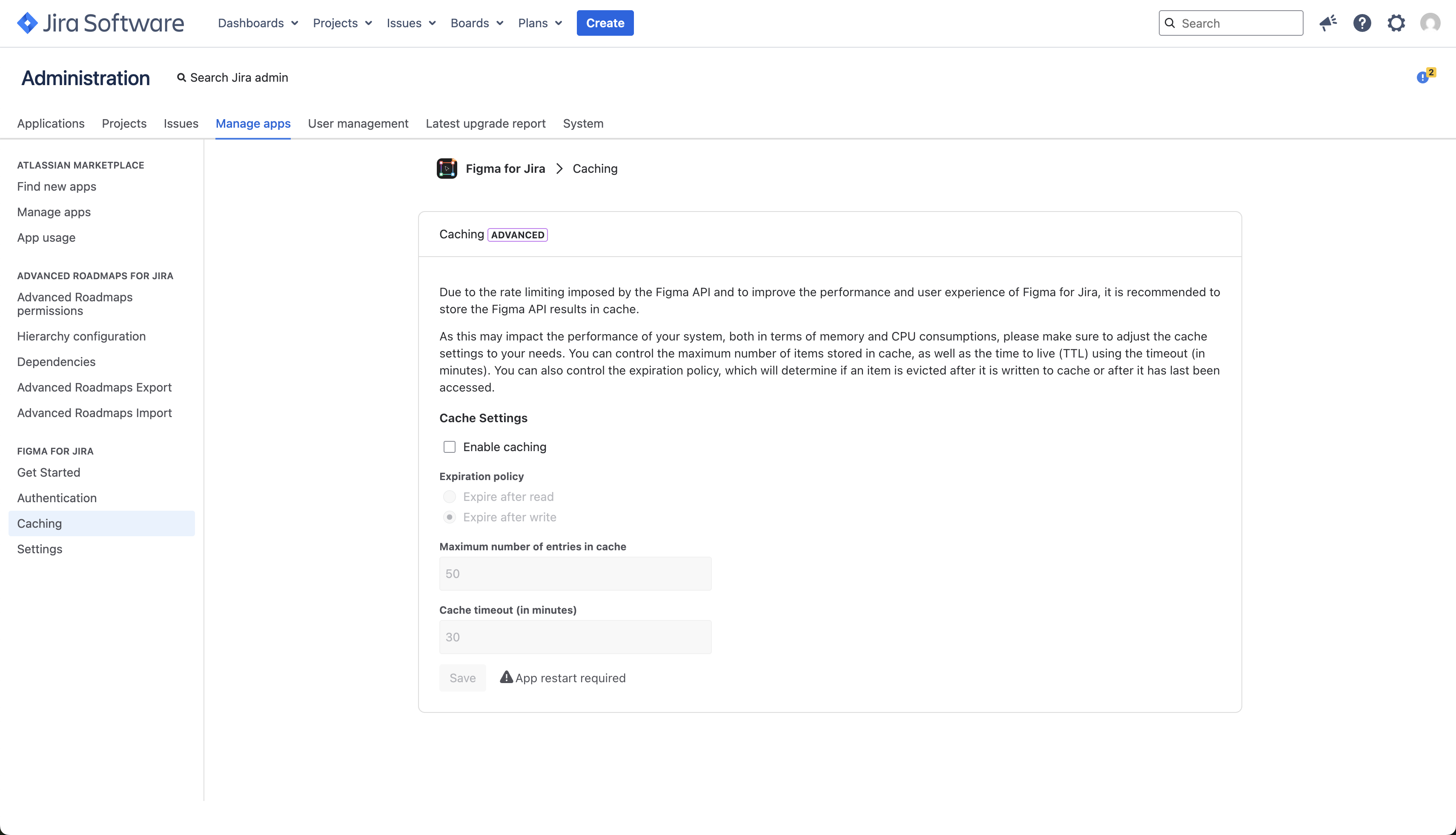
In the Data Center version of Figma for Jira PRO, we have implemented a caching feature. This feature allows you to configure your caching settings to compensate for any impact caused by rate limiting.
You can configure the caching feature in the Data Center versions of our apps by taking the following steps:
Just like the Data Center version, the Cloud version of the app uses caching to compensate for the impact caused by rate limiting. However, in contrast to the Data Center version, the caching for our Cloud version is built into the app. This means that the caching can’t be configured on a per-customer basis.
