
Design to dev without the drama
Hand off locked designs within Jira. No need to log in to Zeplin.
Developers can view, inspect, and download a Zeplin resource directly from their Jira work item. No need for context-switching. Save your devs from having to learn the design tool or get an expensive Zeplin license just for design handoff.
Try Zeplin for Jira Pro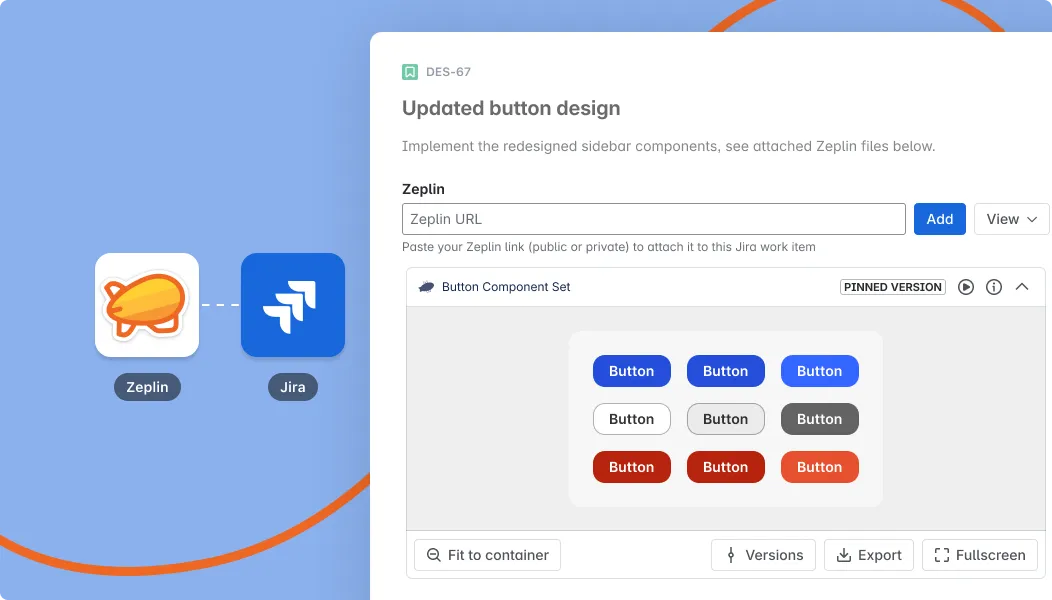

Embed a locked-in version of a design so that developers are certain it’s ‘ready for dev’. Changes in Zeplin won’t propagate to Jira unless you update the version. This provides devs with stable requirements, minimizing rework.

Tools like Figma and Zeplin can make design handoff harder than it needs to be. Keep your stack and processes simple by encouraging designers and developers to collaborate where they’re already working, with the help of a small plugin.

Resources are pinned to your Jira work item and won’t automatically change. Devs can switch between versions to see how designs have evolved. You also have the option of disabling this feature so that the latest version is always shown.

Resources can be embedded in a collapsible list, as thumbnails, or as part of a paginated gallery. The native Zeplin Embedded view makes it possible to embed Zeplin scenes (although this requires a Zeplin login).

Drag and zoom in on designs using the full-screen interactive viewer. Scale to the original size if you need the actual dimensions. You can also open an information panel containing extra details (version, dimensions, resource link ect) about the resource.

Any user with access to the Jira work is able to see the embedded Zeplin resources file. No Zeplin logging required!

Zeplin for Jira Pro works with Jira Cloud
Zeplin’s free Jira app lets you embed Zeplin resources in Jira work items, but it’s basic and every user needs a Zeplin account to see the design. There’s no version control, no view options, no export options, no metadata, and no ability to scale the design to its original size.
The app is aimed at developers and designers using Jira to manage their tasks. It offers them a way to collaborate on Zeplin designs in Jira rather than Zeplin.
That said, it's also suitable for any team using Zeplin that needs to view Zeplin designs, e.g. a graphic designer sharing designs with the marketing team.
It means that when you embed a Zeplin resource in a Jira work item using our app, the design is pinned to the ticket. So, the current version is fixed and changes in Zeplin won’t reflect in Jira until a new version gets pinned.
This increases risk of rework or confusion, although it may be suitable for some workflows where design and development are very tightly integrated.
Yes, you can embed public and private files. A key benefit of our app is that Jira users can access private files without logging in.
Only one user needs to have a Zeplin account with access to the files to be embedded. This user needs to authenticate the app to enable other users to view designs without logging in.
Our documentation offers step-by-step instructions for both Zeplin for Jira authentication methods.
Of course! Just ask.