.svg)
Aligning everyone on design delivery
Centralize your design documentation. Stakeholders can view fixed designs without a Figma login.

Confluence users can see Figma designs with full context on Confluence pages without logging in to Figma. All stakeholders can offer input and value at design handoff, so that designers can make sure their products are solving the right problems.
Try Figma for Confluence
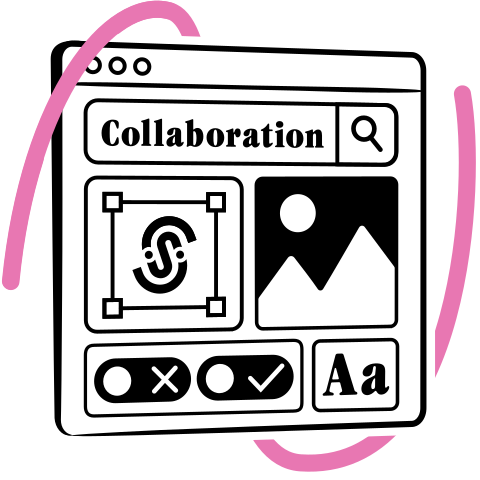
Blend the power of Confluence and Figma to create a design system that’s accessible, scalable, and easy to maintain. Embed components, logos, and whole interfaces from Figma, which users can view and download directly from Confluence.

Display fixed assets in your design system with full version control. Changes in Figma won’t propagate to Confluence unless the designer updates the version. This helps users keep track of changes to the design system and maintains the integrity of the documentation.
Designs are pinned to your Confluence page and won’t automatically change. Confluence users can switch between versions to see how designs have evolved. You also have the option of disabling this feature so that the latest version is always shown.

Embed designs in a collapsible panel or use the frameless view when space is limited, e.g. in a table column. You can also embed prototypes and FigJam files using the native Figma canvas view (although this requires a Figma login).

Use the full-screen interactive viewer to drag and zoom in on designs. Scale to the actual size when you need specific dimensions. You can also open an information panel containing extra details about the design.
A single Figma link enables stakeholders to download designs directly from Confluence in a range of formats: SVG, PNG, JPG, or PDF. Designers don’t have to upload multiple file types to the design documentation, and stakeholders don’t have to wait for them.

Anyone with access to the Confluence page is able to see the Figma file. The native Figma embed loads a lite version of Figma within Confluence, which requires you to have a Figma account. Our app caches embedded designs in Confluence so that they load faster.
“The Figma for Confluence app works well. The app makes it easy to embed a Figma frame on a Confluence page and provides the ability to pan, zoom, and open the source Figma file in a new browser tab. Updates the author makes to the source Figma file get synced to Confluence, thereby saving significant time compared to exporting/importing PNGs.”
“We started using this plugin combined with the Jira Figma plugin. In the past we worked a lot with screenshots of the designs, but now we can keep an up-to-date version on our Confluence pages. Very happy with it so far!”

Figma for Confluence Pro works with Confluence Cloud and Confluence Data Center.
Figma’s free embedding feature, Figma Live Embeds, lets you add live Figma files or prototypes to other websites or apps, including Confluence. However, the feature is basic and every Confluence user needs a Figma account to see the design. There’s no version control, no view options, no export options, no metadata, and no ability to scale the design to its original size.
The app is aimed at designers who use Confluence to create and share design documentation with other teams. Embedding Figma links in Confluence pages lets stakeholders who don’t have Figma licenses collaborate on designs and offer feedback to design teams.
It’s also aimed at designers, developers, and other stakeholders who want to use Confluence as their design system. It lets users view and download components and brand assets directly from Confluence rather than Figma.
We mean that when you embed a Figma file in a Confluence page using our app, the design shown is permanently displayed and changes made in Figma won’t reflect in Confluence. It is only by selecting and pinning a new version that the design will change.
It would impact the integrity of your design documentation and make it harder for stakeholders to use and rely on it. Constantly changing assets can lead to, for example, different versions of a logo being used in the same sales campaign.
Yes. We don’t believe Figma is the right place for creating design documentation or building design systems. Figma is a designer’s tool; it’s not a general team workspace. It’s also very expensive to buy Figma licenses for team members who hardly ever work in Figma.Confluence is a neutral, central space for creating and storing general team documentation and collaborating on it. So if you create your design documentation there, and embed Figma designs with our app, people are more likely to engage with it. Find out more about choosing the right tool for your design system.
Yes, you can embed public and private files. A key benefit of our app is that Confluence users can access private files without logging in.
Only one user needs to have a Figma account with access to the files to be embedded. This user needs to authenticate the app to enable other users to view designs without logging in.The two authentication method we offer are:Figma personal access tokens (on Cloud and Data Center)Authenticate with Figma (on Cloud only)
Our documentation offers step-by-step instructions for both Figma for Confluence authentication methods.
Of course! Just ask.