.svg)
With synced Jira versions and/or components, teams working on the same product or platform stay coordinated. No manual effort required.
Try Version & Component Sync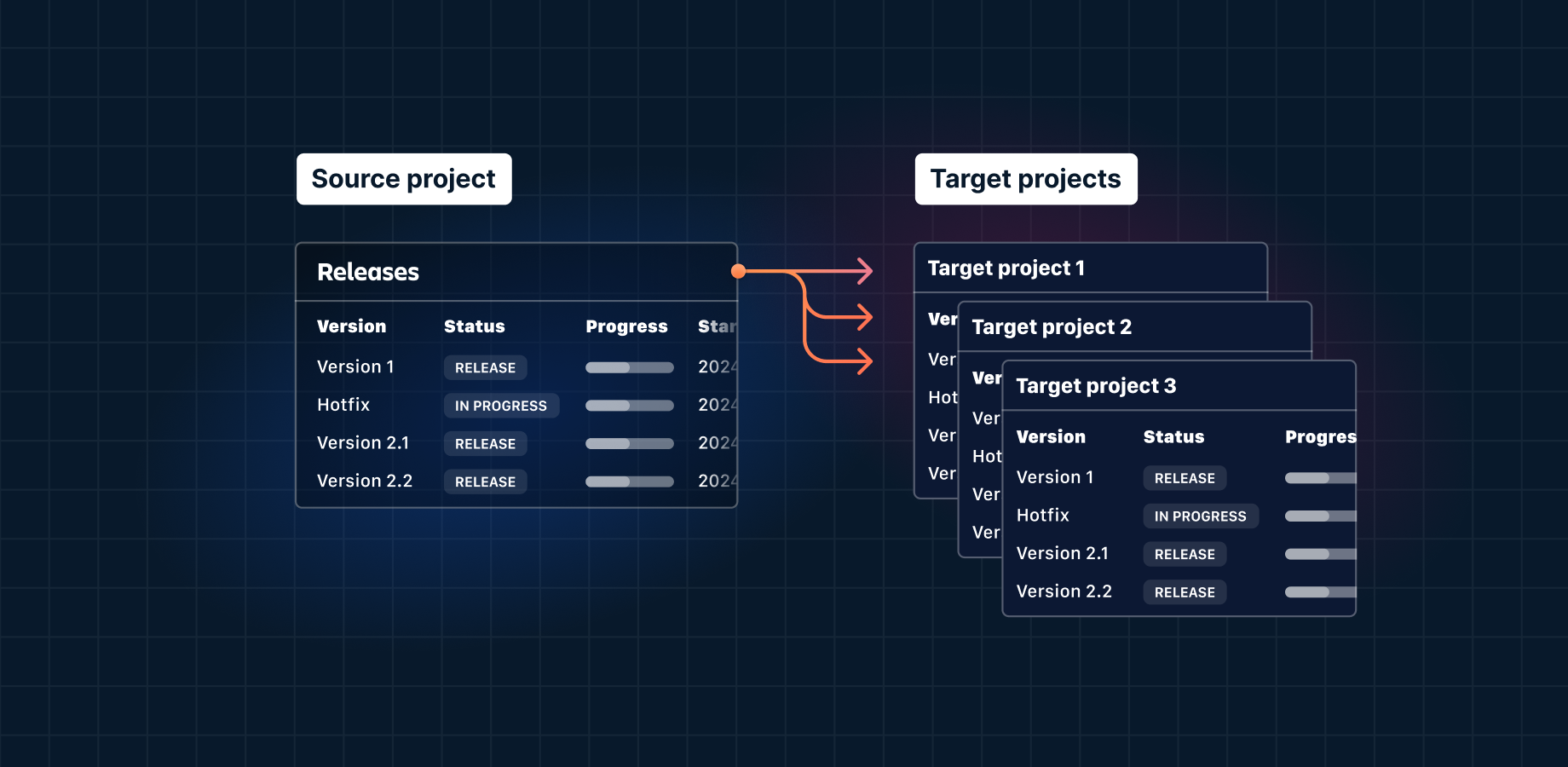

A Jira version sync between your development and service spaces makes sure incidents are traced to the correct release, speeding up resolution time.

Version updates automatically propagate to each team-specific Jira space, so that all teams get the same information about what’s being delivered and when.

Create a space link between one “source” space and as many “target” spaces as you like.
If you don’t want certain Jira versions or components to be synced, our filtering tool lets you exclude them from the process.
Choose when you want Jira versions or components to be synced, e.g. every hour, or with every change in the source space, or both.

Get synced in a few simple steps—much quicker than configuring Jira automation rules or coding a solution with ScriptRunner.

Our conflicts feature protects against accidental deletion of data, e.g. it won’t delete a version in the source space if it has Jira work items attached in the target space.
Advanced configuration options allow you to keep existing versions or components in target spaces, respecting space autonomy.

Version & Component Sync for Jira works with Jira Cloud and Jira Data Center.
Version & Component Sync for Jira is great for IT service management (ITSM) teams using Jira Service Management. It allows them to make sure versions are synced from the development space to the service space. That way, customers and/or agents will select the correct version when reporting a bug. This eliminates back-and-forth comms trying to ascertain which version is affected.
The app is also useful if you have multiple teams working on the same product with the same release cycle; since versions can’t span multiple Jira spaces, Version & Component Sync makes sure versions are consistent across spaces so that all teams are singing from the same song sheet.
The source space is the Jira space that holds the “authoritative” list of versions and/or components. It acts as the single source of truth for versions and components, enabling space managers to edit and update them in only one place. All changes made in the source space propagate to the target spaces.
The target space is any Jira space that is linked to a source space and therefore inherits all the changes made in the source space.
In other words, the target space copies what’s happening in the source space. For example, a new version created in the source gets automatically created in the target, and updates like new names or release dates instantly propagate to the target based on your sync settings.
You can have as many target spaces as you like.
Space links are the connections you create between a source space and one or more target spaces. These connections tell the app which source spaces should synchronize versions and/or components to which target spaces.
No. Version & Component Sync does not support two-way synchronization.
Yes, if you want different sync settings for certain groups of versions, you could have a different source space for each group. You can also have a different source space for versions and components. It’s also possible to use the same space for both.
If you create a space link with a target space that already has versions, three things could happen.
If the versions also exist in the source space, the versions in the target space will be linked to the corresponding versions in the source space based on name. Other version details (start/release date, description, and status) will be updated so that they match those in the source space.
If the versions don’t exist in the source space, the versions in the target space will be deleted depending on your configuration.
If there are versions in the source space that aren’t in the target space, the app will create corresponding versions in the target space.
Yes. You can customize your synchronization triggers so that only certain changes/updates are synchronized between spaces.To keep existing versions and components in a target space even though they don’t exist in the source, simply uncheck the Delete trigger.
This does mean that no delete events will be synchronized. So deleting a version/component in the source space will no longer result in the deletion of the corresponding version/component in the target spaces.
Synchronization conflicts are error conditions that prevent the app from correctly synchronizing versions and components from the source space to the target spaces. They act as alerts that a user has taken a faulty action* and the app won’t synchronize that action till it is resolved.
Some examples:
Renaming a version in the source space to a version name that already exists in the target space will create a Update conflict and the change will not be synchronized. Jira doesn’t allow two versions with the same name in one space.
The app won’t delete a version in the target space if there are Jira work items linked to it. It will create a Delete conflict and the deletion will not be synchronized. This conflict acts as a safeguard to prevent Version & Component Sync from deleting potentially valuable data.
* These actions are considered faulty within the context of Version & Component Sync. They could be normal Jira actions but in the app they lead to problems in the sync process.
Yes. We highly recommend testing the app in a staging environment to fully understand the impact it has on your system, and to make sure it works as you expect.
In order to test Version & Component Sync, create two or more dummy spaces in Jira and configure space links from the Version & Component Sync page. Make sure to verify what happens when you create, delete, or change versions/components in the source space.
Of course! Just ask.